Solutions
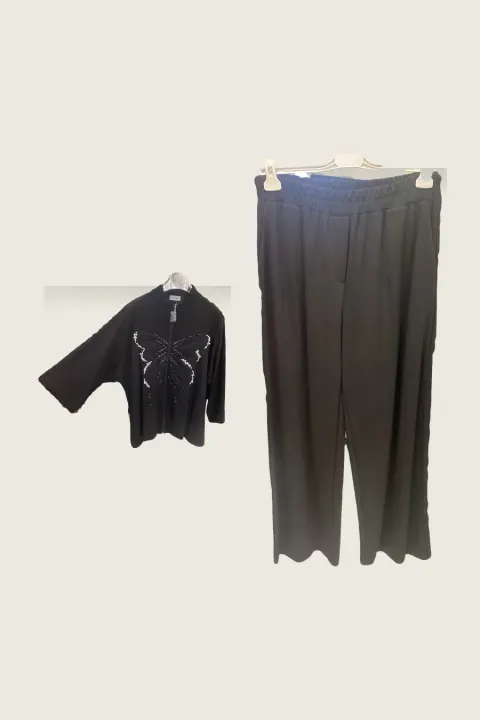
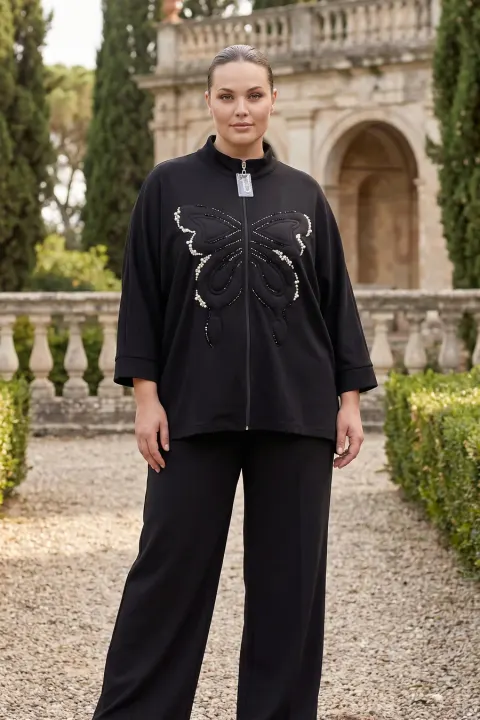
Top and trousers on one model, from two product photos
Sets and co-ords sell as a look, but they are usually photographed as two separate pieces on hangers. A shopper has to imagine them together.
In outfit mode you upload each piece in its own slot: the top, the trousers or skirt, and more if needed. The model wears the full outfit in one frame. The example here is a real two-piece: top and wide-leg trousers photographed separately, then worn together.


Normal 10 cr (2K) · Pro 35 cr (4K) · about 60 s
How it works
- 01
Photograph each piece on its own.
- 02
Add them to the outfit slots and choose model, pose and scene.
- 03
Download the full-outfit photo.
Frequently asked questions
- What if I only sell the trousers?
- Upload just the trousers. The model is completed with a neutral top so the trousers stay the focus.
- Can I add shoes or bags?
- Yes, accessories can be added as extra pieces in outfit mode.
- Does it keep the trouser length?
- It follows your photo. A folded hem in the photo can be read as a shorter length, so photograph the full length.
Try it on your own product
Same account on iOS, Android and web; credits are only spent on shots you generate.