Printed clothing on a model, with the print where it belongs
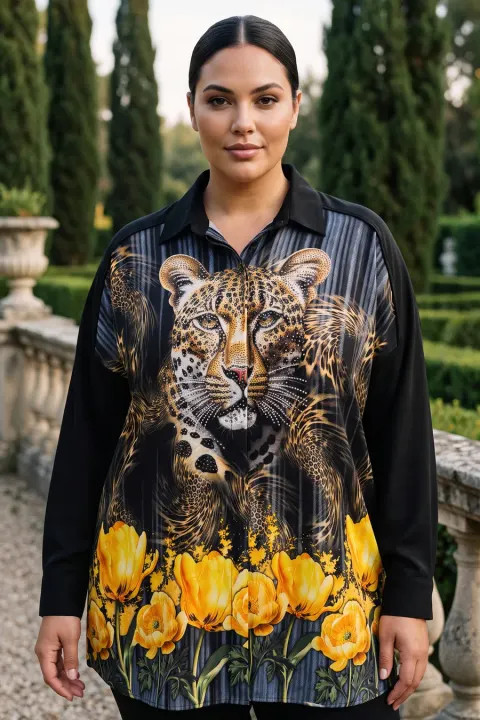
Prints are where AI model photos usually fail: the motif is roughly right in the wide shot and smeared in the close-up, or it moves from the chest to the hem. For a printed piece the print is the product.
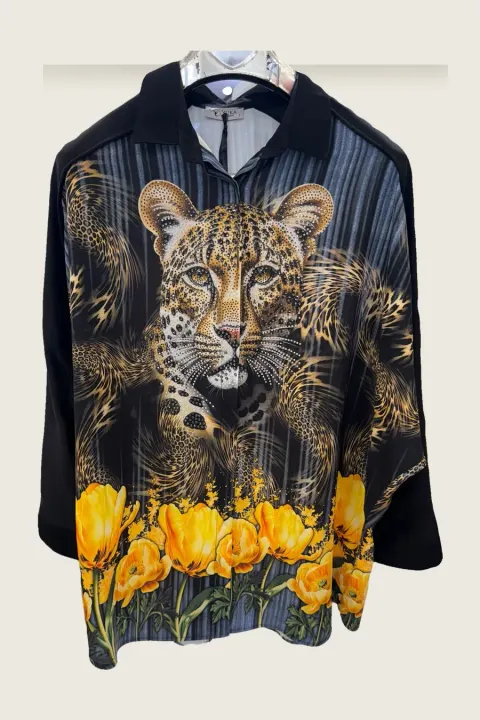
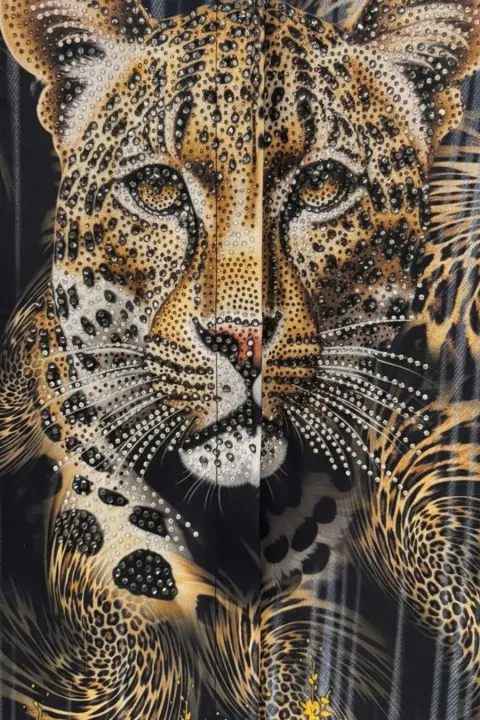
vCabin uses your product photo as the visual reference for the print and adds a macro frame cropped from your own photo, so the close-up shows the real motif, stones and stitching. The example on this page is a real printed tunic: product photo, on-model frame and macro frame.


Normal 10 cr (2K) · Pro 35 cr (4K) · about 60 s
How it works
- 01
Photograph the garment flat or on a hanger so the whole print is visible. Add a close-up of the motif if you have one.
- 02
Choose model, pose and scene.
- 03
Download the on-model frame and the macro detail frame.
Frequently asked questions
- Will small text in the print be readable?
- Not always. Very small text and fine sequins can shift. Check the close-up and regenerate if needed.
- Should I upload a separate close-up?
- It helps. A sharp close-up of the motif gives the detail frame a better reference.
- Does it work for all-over patterns like leopard or florals?
- Yes. The examples on this page are leopard and floral prints.
Try it on your own product
Same account on iOS, Android and web; credits are only spent on shots you generate.