Solutions
Every color of a product, without another shoot
When a piece comes in five colors, most listings show one photo and a row of swatches. Shoppers buy what they can see.
In vCabin you can take a finished on-model photo and change the garment’s color. The model, pose, light and scene stay the same, so the variants line up in your listing. The example here is a blue suit changed to light blue.


Normal 10 cr (2K) · Pro 35 cr (4K) · about 60 s
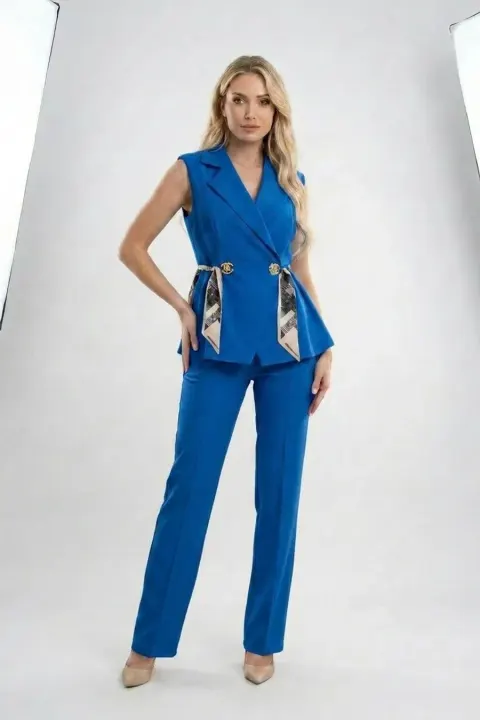
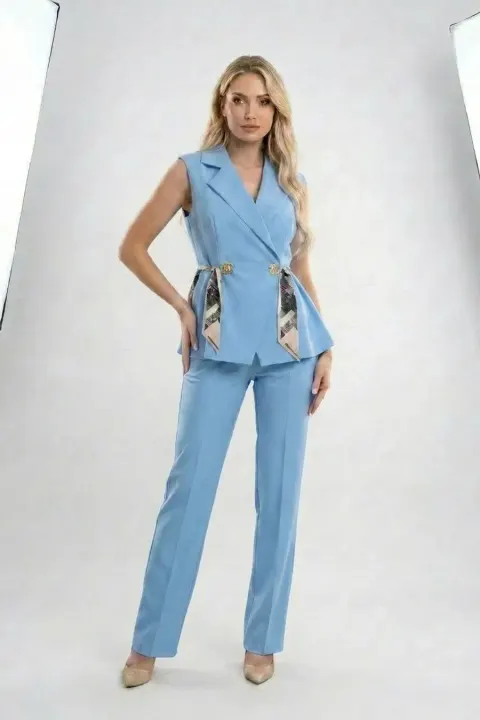
How it works
- 01
Create the on-model photo of one color.
- 02
Open color change and pick the new color.
- 03
Download one frame per variant.
Frequently asked questions
- Does it work for printed garments?
- Color change works best on solid colors. For printed variants, upload a photo of each variant.
- Will the color match my real product?
- Pick the color from your product photo and compare before publishing. Screens and fabrics differ.
- Can I pick any color?
- Yes. Use the color picker or type the exact hex code of your product color.
Try it on your own product
Same account on iOS, Android and web; credits are only spent on shots you generate.